Showing posts with label Engineering Software. Show all posts

EPLAN Tips: How to Change Connection Point Designation Rotation in Engineering Software

...
engineering information technology
EPLAN Tips: How to Change Connection Point Designation Rotation in Engineering Software

EPLAN Tips: How to Change Connection Point Designation Rotation in Engineering Software

This article provides an in-depth exploration of Engineering software, covering foundational concepts, practical applications, and engineering insights.

When designing complex electrical schematics, clarity and readability are paramount. EPLAN Electric P8 stands out as an industry-leading engineering software designed to streamline electrical automation and control system workflows. However, small visual details—like the orientation of connection point designations—can sometimes clutter your drawings if they are not aligned properly.

In this EPLAN tips and tricks guide, we will walk you through how to change the rotation of connection point designations in your project settings for cleaner, more professional schematics.

Why Adjust Connection Point Designation Rotation?

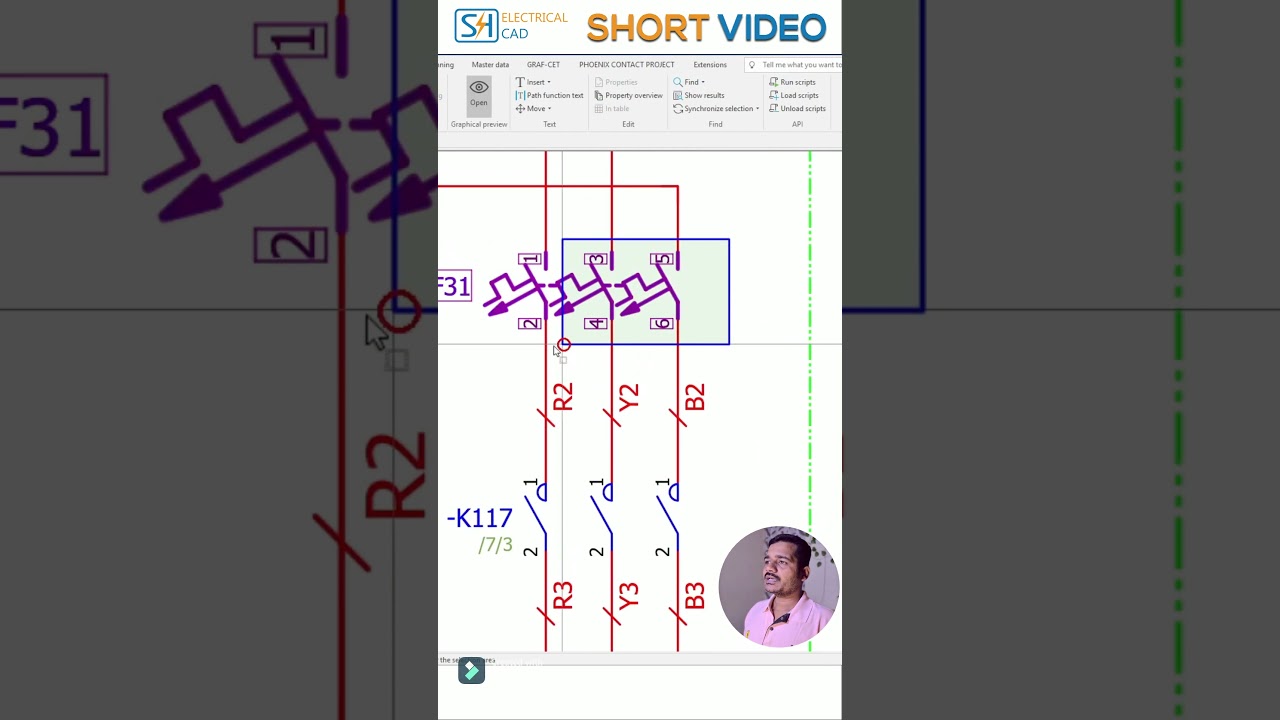
Connection point designations identify terminal points, pin connections, and wire routes within your electrical diagrams. When components are densely packed or placed vertically, standard horizontal text can overlap with wires or adjacent symbols. By adjusting the text rotation angle, you can:

  • Enhance Readability: Ensure installation and maintenance technicians can easily read terminal labels on the factory floor.
  • Maintain Standardization: Keep text alignment consistent across all pages of your electrical documentation.
  • Optimize Drawing Space: Fit essential metadata into tight schematic layouts without sacrificing clarity.

Step-by-Step: Changing Designation Rotation in Settings

Configuring default rotation settings in your engineering software environment is quick and straightforward. Follow these steps to adjust your setup:

  1. Access Options: Open your EPLAN project, navigate to the top menu, and click on Options > Settings.
  2. Navigate to Graphical Editing: Expand the Projects section, select your active project, and navigate to Management > Graphical Editing.
  3. Modify Display Properties: Locate the connection point display settings. Here, you will find options for default text alignment and angle placement.
  4. Set Your Preferred Angle: Choose the desired rotation angle (such as 90° or 270°) that best matches your project layout standards.
  5. Save and Apply: Click Apply and OK to update your project settings. Your schematics will instantly reflect the updated text orientation.

Streamline Your Electrical Design Process

Mastering property settings in modern engineering software dramatically reduces manual adjustments during the drafting phase. By setting up correct text rotation defaults in EPLAN, you ensure that every exported project remains clean, professional, and easy to navigate for engineering teams and field technicians alike.

Visual Insights & Illustrations

Engineering software

Essential Engineering Software Checklist: Streamlining Firmware Code Reviews Before Production

...
engineering information technology
Essential Engineering Software Checklist: Streamlining Firmware Code Reviews Before Production

Essential Engineering Software Checklist: Streamlining Firmware Code Reviews Before Production

This article provides an in-depth exploration of Engineering software, covering foundational concepts, practical applications, and engineering insights.

Deploying firmware to production is one of the most critical stages in embedded systems development. Unlike traditional web or desktop applications, a post-launch firmware bug can result in costly hardware recalls, safety hazards, or permanently bricked devices. To prevent these catastrophic failures, utilizing robust engineering software during the review process is essential for delivering rock-solid code.

Critical Checklist Items for Firmware Code Reviews

A practical firmware review checklist goes far beyond basic syntax and style guidelines. It focuses on the complex interactions between hardware and software, stability, and edge-case resilience. Before signing off on a production release, ensure your team verifies these key areas:

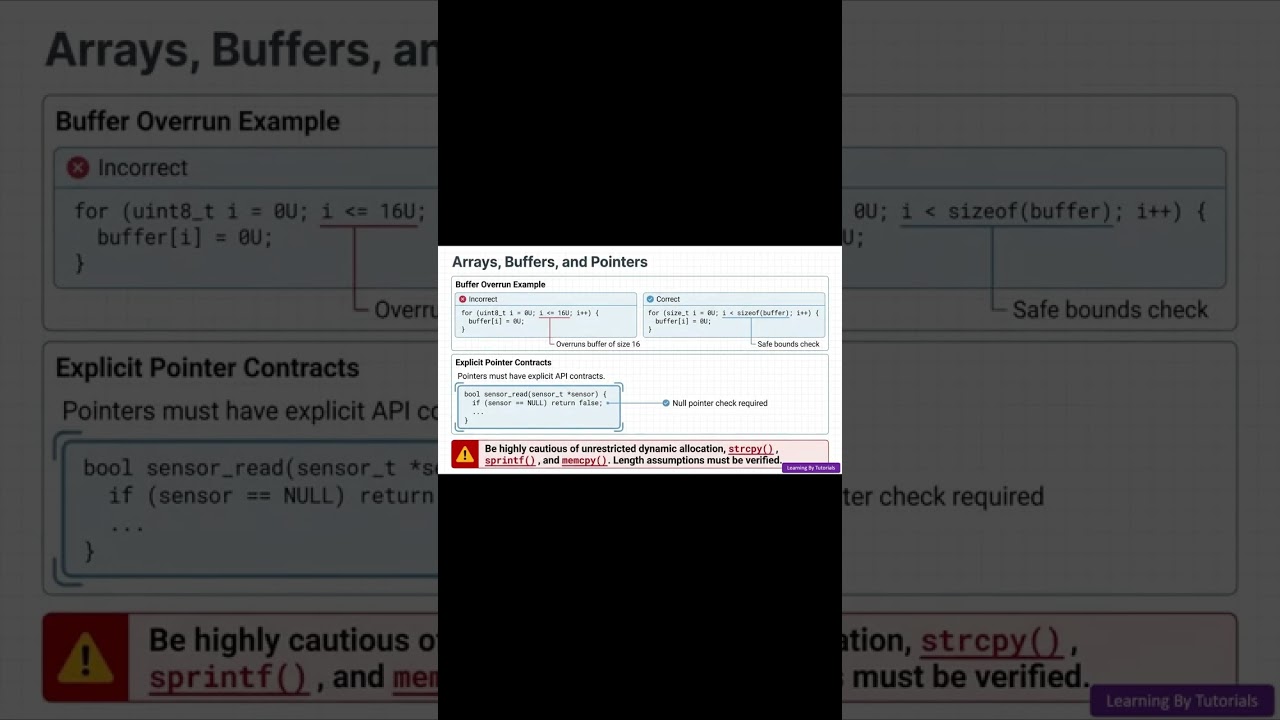
  • Memory Management & Pointers: Check for potential buffer overflows, uninitialized pointers, and unsafe dynamic memory allocations that could lead to unexpected runtime crashes.
  • Interrupt Handling & Concurrency: Verify that Interrupt Service Routines (ISRs) remain as brief as possible. Ensure proper synchronization mechanisms—such as mutexes or volatile declarations—are in place to prevent race conditions.
  • Peripheral & Error Recovery: Confirm that hardware initialization, bus timeouts (I2C, SPI, UART), and communication errors are handled gracefully rather than putting the processor into an infinite loop.
  • Watchdog Timers: Ensure the system watchdog is properly initialized and periodically refreshed to recover the microcontroller in case of deadlocks.

Streamlining Reviews with Modern Engineering Software

While manual peer reviews are indispensable for evaluating logic, combining human expertise with specialized engineering software dramatically enhances detection efficiency.

Automated static analysis tools integrated into your continuous integration (CI) pipeline can scan thousands of lines of firmware in seconds. These tools identify MISRA C/C++ rule violations, potential deadlocks, and memory leaks before peer reviews even take place. Leveraging specialized engineering software for automated checks reduces reviewer fatigue, maintains consistency across teams, and provides an auditable history for quality compliance.

Conclusion

Releasing production-ready firmware requires a disciplined, multi-layered approach. By coupling a rigorous manual checklist with modern engineering software, embedded engineers can eliminate critical bugs early, ensure hardware reliability, and ship high-performance products with confidence.

Visual Insights & Illustrations

Engineering software