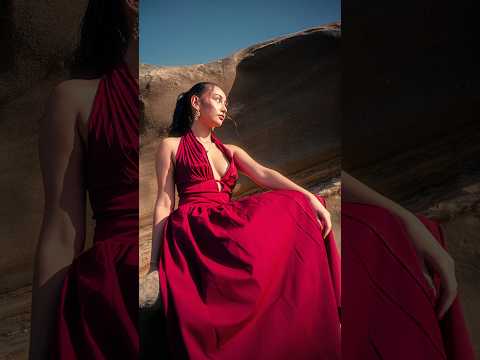
The nostalgic Y2K digital camera (digicam) aesthetic is taking the digital art world by storm. Characterized by harsh flash glows, subtle digital noise, and warm vintage tones, this look brings back the unique charm of early 2000s point-and-shoot photography. While modern automated AI tools promise quick fixes, mastering manual techniques gives you ultimate creative control—a discipline where visual design seamlessly intersects with Engineering IT principles of software mechanics and digital image processing.
In this quick guide, you will learn how to recreate an authentic retro digicam effect in Adobe Photoshop using precision tools, zero AI required.
Fine-Tuning Tones with Camera Raw Tweaks
To recreate the characteristic digicam output, start by converting your image layer into a Smart Object and applying the Camera Raw Filter. Early digital sensors lacked today's dynamic range, so adjustments should reflect those hardware limitations: * Exposure & Contrast: Slightly boost exposure and contrast to replicate the direct, bright flash typical of early compact cameras. * Color Temperature: Shift the white balance toward a warmer, golden-yellow tint to capture that iconic early-2000s color balance. * Clarity & Texture: Soften modern high-definition sharpness by reducing the Clarity slider slightly, introducing a authentic vintage blur.
Crafting the Signature Flash Glow with Smart Masking
A key highlight of the Y2K digicam aesthetic is the intense foreground flash paired with dark background falloff. You can achieve this effect using targeted Smart Masking: 1. Apply a Radial Mask centered on your primary subject or focal point. 2. Increase the Highlights and Whites within the mask to simulate an intense on-camera flash. 3. Invert the selection for the background and decrease the exposure to create dramatic depth and focus.
Why Manual Precision Beats AI Filters
While one-click AI filters are convenient, manual editing provides full control over pixel data, layer structures, and color channels. Advanced digital media workflows and Engineering IT frameworks depend on structured, predictable image processing routines. Mastering manual color adjustments, grain control, and layer masking ensures your creative assets remain high quality and customizable across various digital platforms.
By combining artistic vision with technical precision, you can effortlessly transform any modern image into a stylized piece of retro media. Whether you are a digital content designer or exploring creative applications within Engineering IT, developing these hands-on image editing skills will elevate your creative output.


